
SmartPlay - for Safari Browser2.1.9 - App Store
You'll be able to see results in few seconds.
Publisher Description


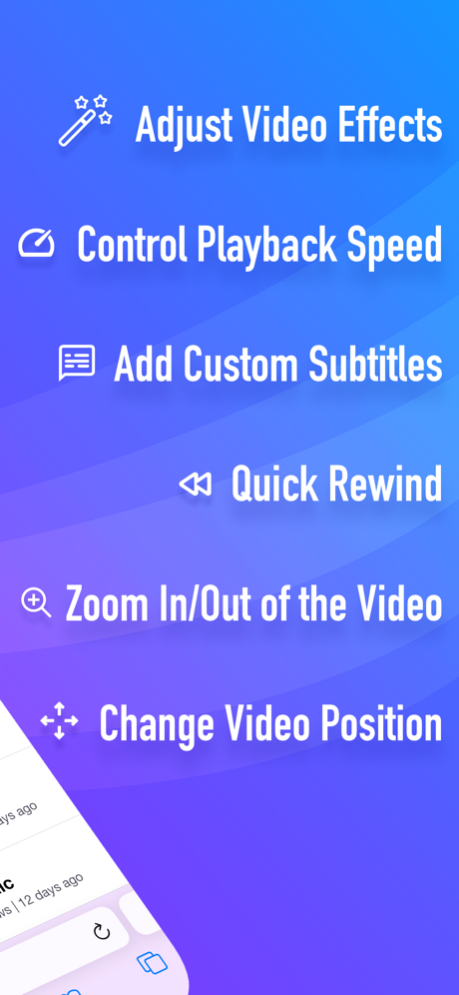
** SmartPlay is a Safari Web Extension that gives you extra control and functions (e.g., Video Effects, Playback Speed, Custom Subtitles, Auto-Skip Intros, IMDB Ratings, etc.) when you're watching video streams on popular websites.
** For iPhone: Supports YouTube, Twitch, iQIYI, etc.
** For iPad: Supports Netflix, YouTube, Prime Video, Twitch, iQIYI, etc.
** It's easy to use and doesn't track you or collect any personal information.
Just play your favorite movie, TV show, or video, and a new control panel will appear on top of the Safari player!
Safari Web Extension was first introduced at WWDC 2021 June. This is the first Safari Web Extension that gives you complete control over your online video streams.
-- KEY FEATURES --
Shows the IMDB Rating and Votes for each movie or TV show (Netflix on iPad only).
Access Netflix's Hidden Categories and Search for Categories (Netflix on iPad only).
Adjust video brightness, saturation, contrast, and gray scale. Get a live preview of changes.
Control Playback Speed (from 0.01x slower to 5x faster).
When watching a slow movie, you can speed it up; if you're learning a new language using Netflix, you can watch the video in slow motion.
Quick Rewind (60 seconds).
Auto-Skip Intros and Recaps. No need to press the Skip button each time (Netflix on iPad only).
Add Multiple Custom Subtitles (in SRT or VTT format) to your video stream.
Supports any language. Customize the subtitle position, color, size, background color, background opacity, time offset, font family, and font encoding.
Zoom in and out of the video.
Change video position.
Show Detailed Information about the Video Stream (Netflix on iPad only).
Includes detailed video, audio, and network information (e.g., Resolution, Frame Rate, Bitrate, Codec, HDR Support, Current CDN, Throughput, Movie ID, etc.).
-- HOW TO SETUP --
1. Please open the app and click the button on the welcome screen. This will take you to the Settings screen. Then tap Safari (for iPad, check left pane) > Extensions > SmartPlay, then tap the switch to turn it on.
2: On the same screen, tap All Websites > Allow to grant permission to run SmartPlay's extension on Safari on all websites. Now you're all set! You should see SmartPlay's overlay menu when you're watching a video on Safari.
Note: You can tap the "Manage Extensions" icon in your Safari address bar to access the SmartPlay settings.
Note: On iPhone, you can't access the overlay menu when your video is being played in full-screen mode.
Note: Safari may display a notice saying that the extension can read your sensitive information and browsing history. This is a general reminder that appears with every extension. SmartPlay will never read or collect any of your personal information such as passwords or credit card numbers. It's completely safe to use. You have my word!
The extension will work on Safari for iOS/iPadOS version 15.0 and above.
-- DISCLAIMER --
This browser extension is not endorsed by or affiliated with any of the aforementioned websites or services in any way. All product names, logos, and brands are the property of their respective owners.
Privacy Policy: http://www.9bestapp.com/resources/privacy-policy.html
Terms: http://www.9bestapp.com/terms/
Dec 13, 2022
Version 2.1.9
* Bug fixes.
* Performance improvements.
About SmartPlay - for Safari Browser
The company that develops SmartPlay - for Safari Browser is Best App Limited. The latest version released by its developer is 2.1.9.
To install SmartPlay - for Safari Browser on your iOS device, just click the green Continue To App button above to start the installation process. The app is listed on our website since 2022-12-13 and was downloaded 0 times. We have already checked if the download link is safe, however for your own protection we recommend that you scan the downloaded app with your antivirus. Your antivirus may detect the SmartPlay - for Safari Browser as malware if the download link is broken.
How to install SmartPlay - for Safari Browser on your iOS device:
- Click on the Continue To App button on our website. This will redirect you to the App Store.
- Once the SmartPlay - for Safari Browser is shown in the iTunes listing of your iOS device, you can start its download and installation. Tap on the GET button to the right of the app to start downloading it.
- If you are not logged-in the iOS appstore app, you'll be prompted for your your Apple ID and/or password.
- After SmartPlay - for Safari Browser is downloaded, you'll see an INSTALL button to the right. Tap on it to start the actual installation of the iOS app.
- Once installation is finished you can tap on the OPEN button to start it. Its icon will also be added to your device home screen.
Program Details
System requirements
Download information
Pricing
Version History
version 2.1.9
posted on 2022-12-13
Dec 13, 2022
Version 2.1.9
* Bug fixes.
* Performance improvements.
version 2.1.8
posted on 2021-11-22
Nov 22, 2021 Version 2.1.8
* Bug fixes and app improvements.
Disclaimer
Official App Store Link
We do not host SmartPlay - for Safari Browser on our servers. We did not scan it for viruses, adware, spyware or other type of malware. This app is hosted by Apple and passed their terms and conditions to be listed there. We recommend caution when installing it.
The App Store link for SmartPlay - for Safari Browser is provided to you by apps112.com without any warranties, representations or guarantees of any kind, so access it at your own risk.
If you have questions regarding this particular app contact the publisher directly. For questions about the functionalities of apps112.com contact us.
